
Google reCAPTCHA
Google reCAPTCHA integration adds an extra layer of security to your checkout page by preventing spam and bot activity. Follow the steps below to enable it:
Setup Instructions
- Go to https://www.google.com/recaptcha/admin/create and register a new site.
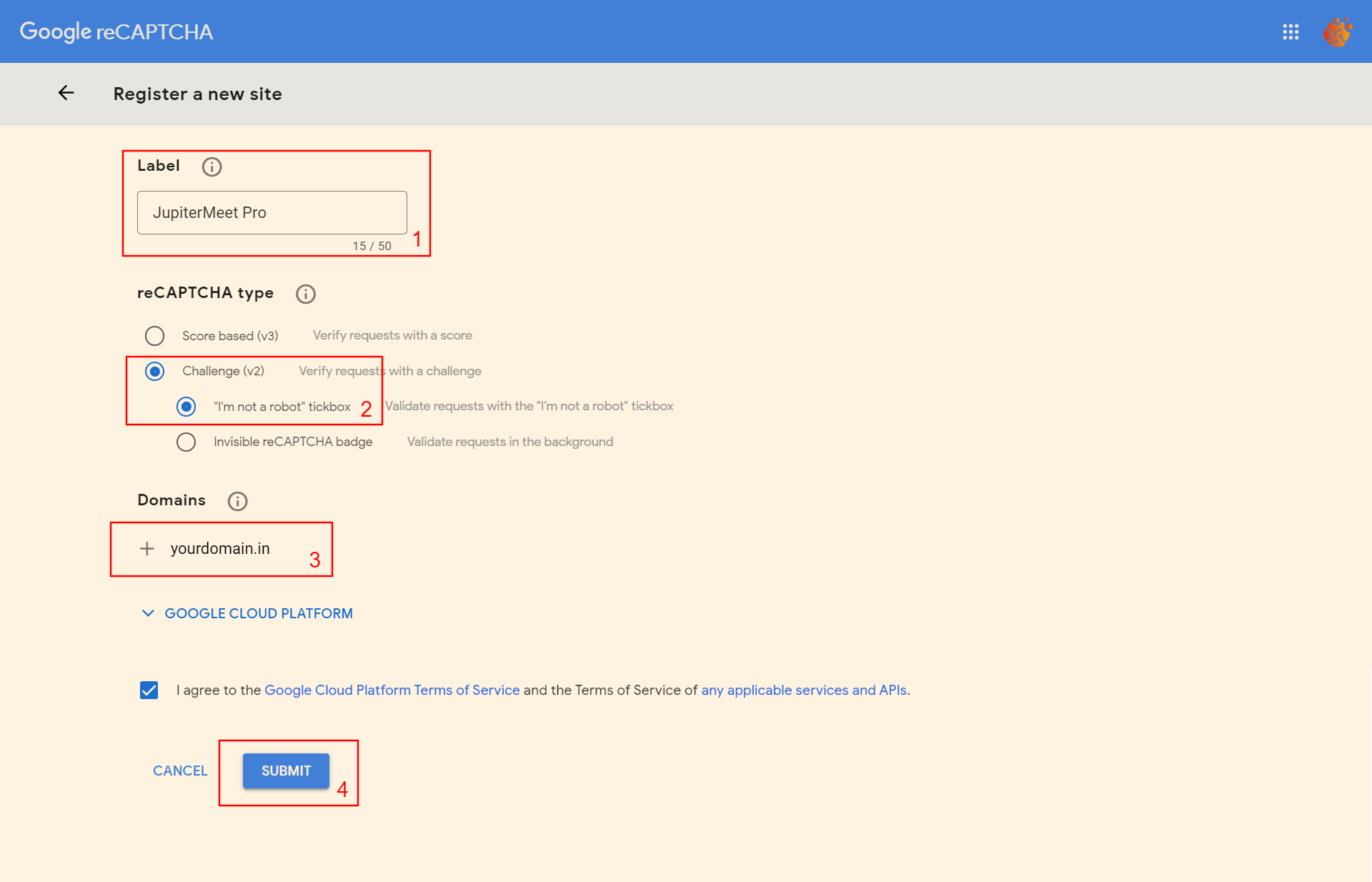
- After successful registration, you’ll get a Site Key and Secret Key.
- Login to your admin panel and navigate to
Settings > Google reCAPTCHA. - Paste your Site Key and Secret Key in the appropriate fields.