
Addon registration is performed from the JupiterMeet admin panel and is required to activate the integration.
Log in to your JupiterMeet Admin Panel.
Navigate to: JupiterMeet Admin Panel > Addon and click on Register button.
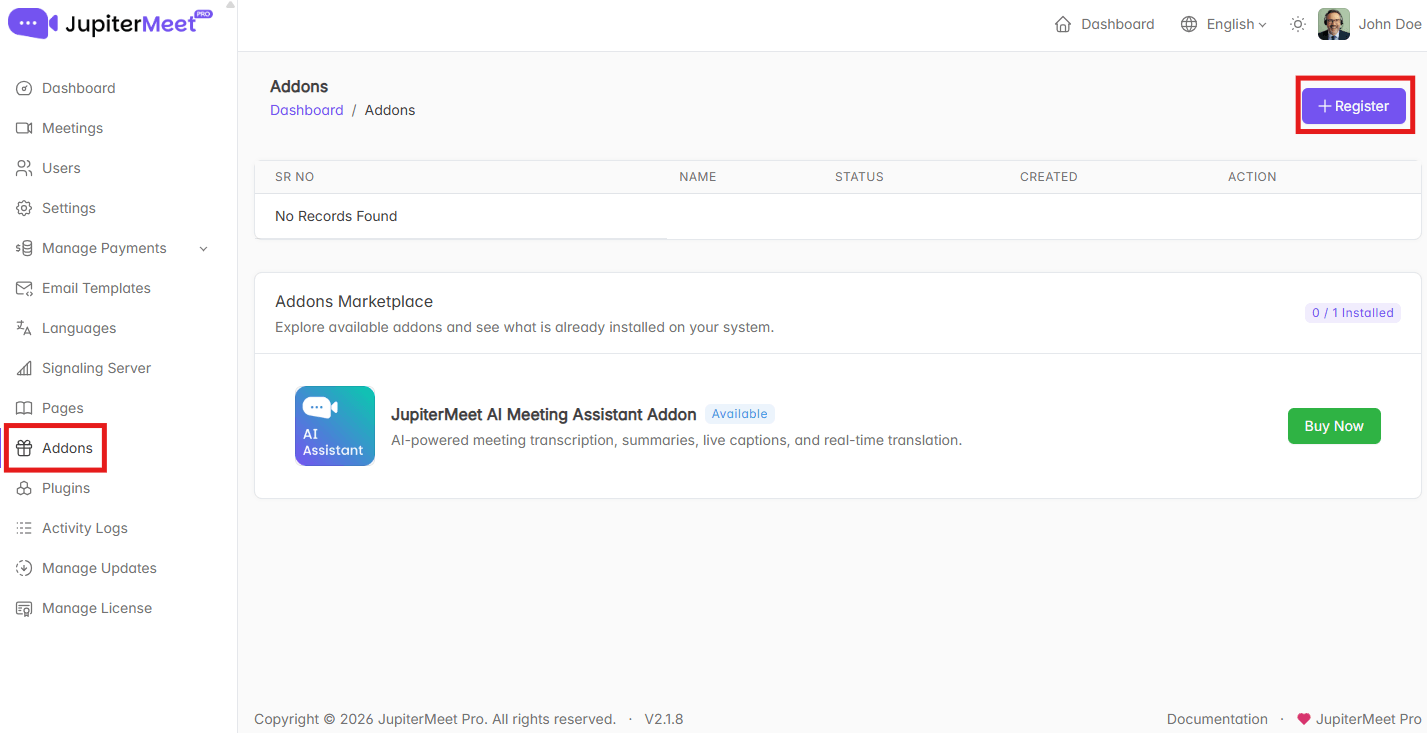
- A registration form will be displayed with the following fields:
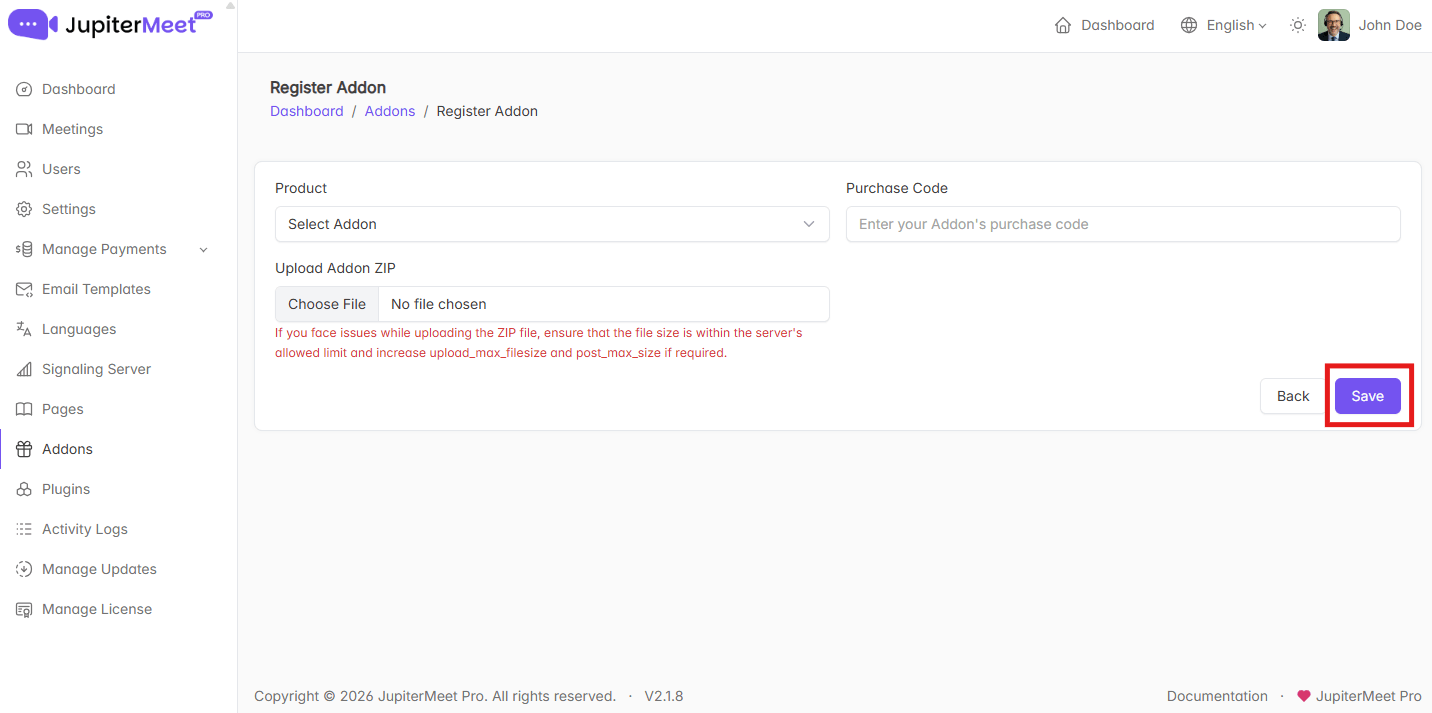
Product
Choose which addon you want to register.
In this case, select JupiterMeet AI Meeting Assistant Addon from the list.Purchase Code
Enter the purchase code provided at the time of purchasing the addon.Upload ZIP
Upload the addon ZIP file that you have downloaded after purchase.
info
If you face issues while uploading the ZIP file, ensure that the file size is within your server’s allowed limit.
To fix this:
- Open your server’s php.ini configuration file.
- Locate the following values:
upload_max_filesizepost_max_size
- Increase both values to at least 25M.
- Save the file and restart your server (if required).
This will allow larger ZIP files to be uploaded without errors.
- Save the registration details.
Once the form is submitted successfully, the addon will be registered in JupiterMeet and ready to use.