
Plugin registration is performed from the JupiterMeet admin panel and is required to activate the integration.
Log in to your JupiterMeet Admin Panel.
Navigate to: JupiterMeet Admin Panel > Plugins and click on Register button.
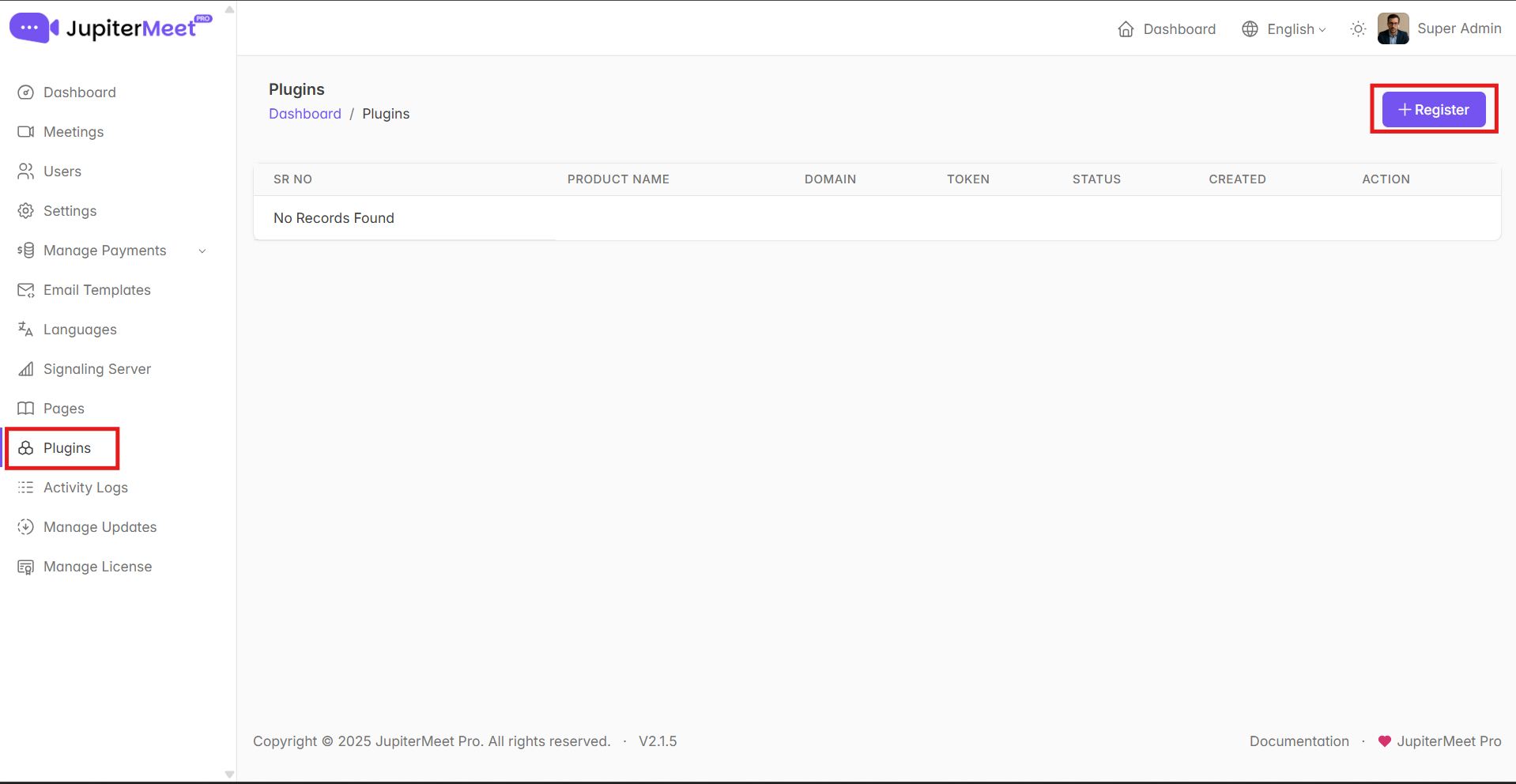
- A registration form will be displayed with the following fields:
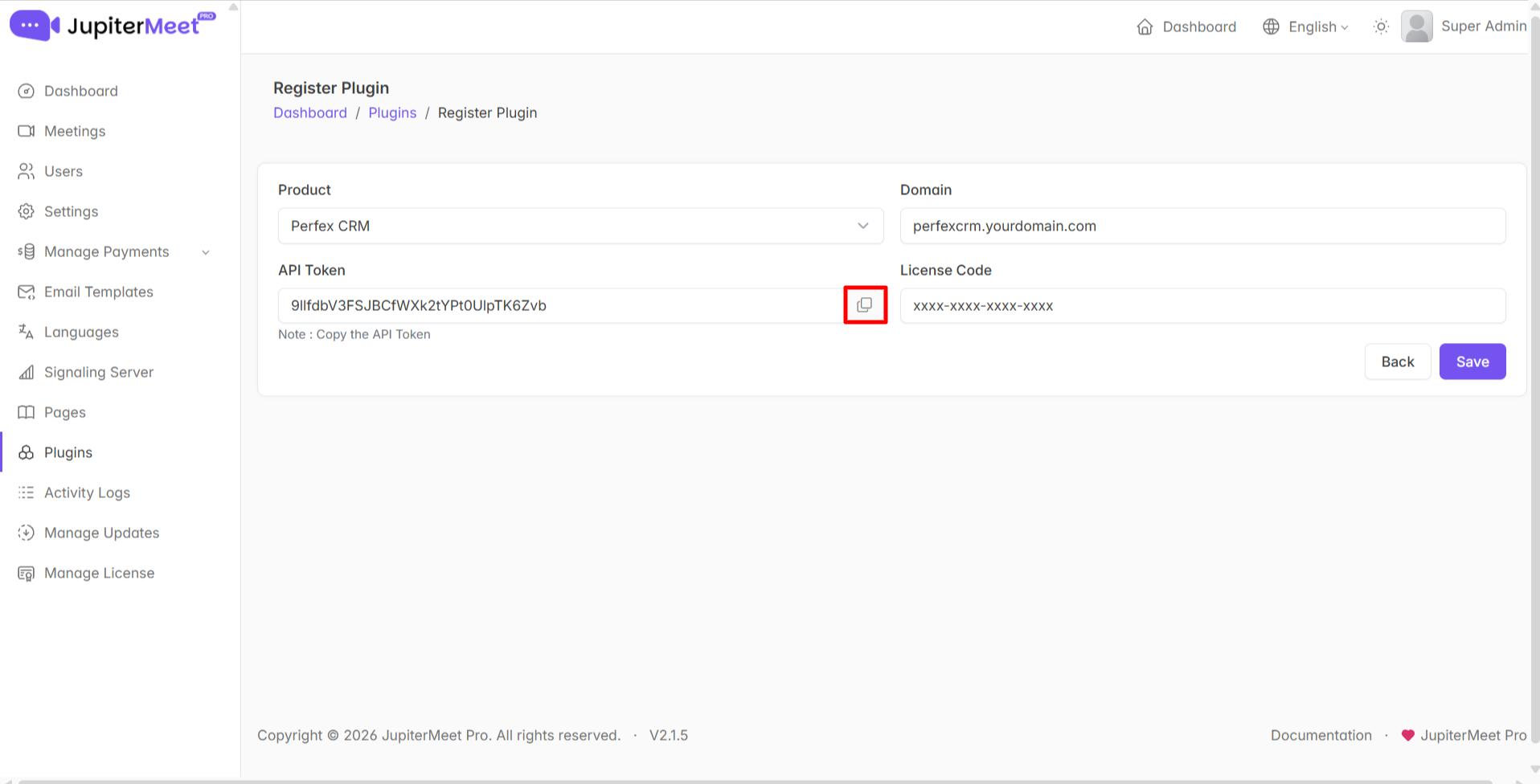
Select Plugin
Choose the JupiterMeet Video Meeting Plugin from the list.Domain
Enter the domain where Perfex CRM is installed.
Example format: perfexcrm.yourdomain.comAPI Token
This token is automatically generated. Copy and store it securely, as it will be required during Perfex CRM configuration.Purchase Code
Enter the purchase code provided at the time of purchasing the plugin.
- Save the registration details.
Once the form is submitted successfully, the plugin will be registered in JupiterMeet and ready to be configured inside Perfex CRM.