
After purchasing the JupiterMeet Video Meeting Plugin for RISE CRM, follow the steps below to install it in your RISE CRM.
The JupiterMeet Video Meeting Plugin can be installed directly from the RISE CRM admin panel.
Log in to your RISE CRM Admin Panel.
Navigate to: Settings → Plugins → All plugins
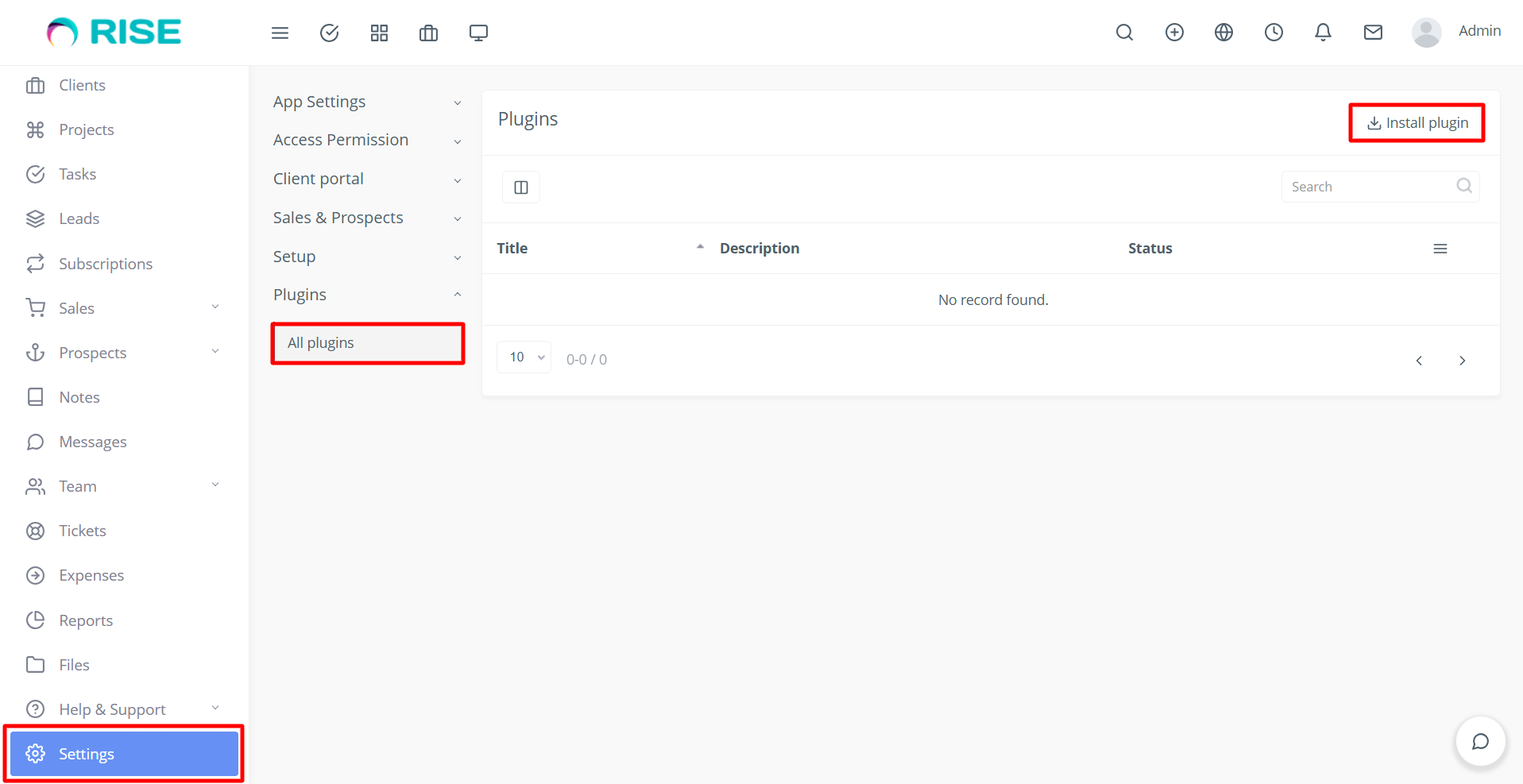
- Upload the purchased JupiterMeet plugin ZIP file using the Install plugin option.
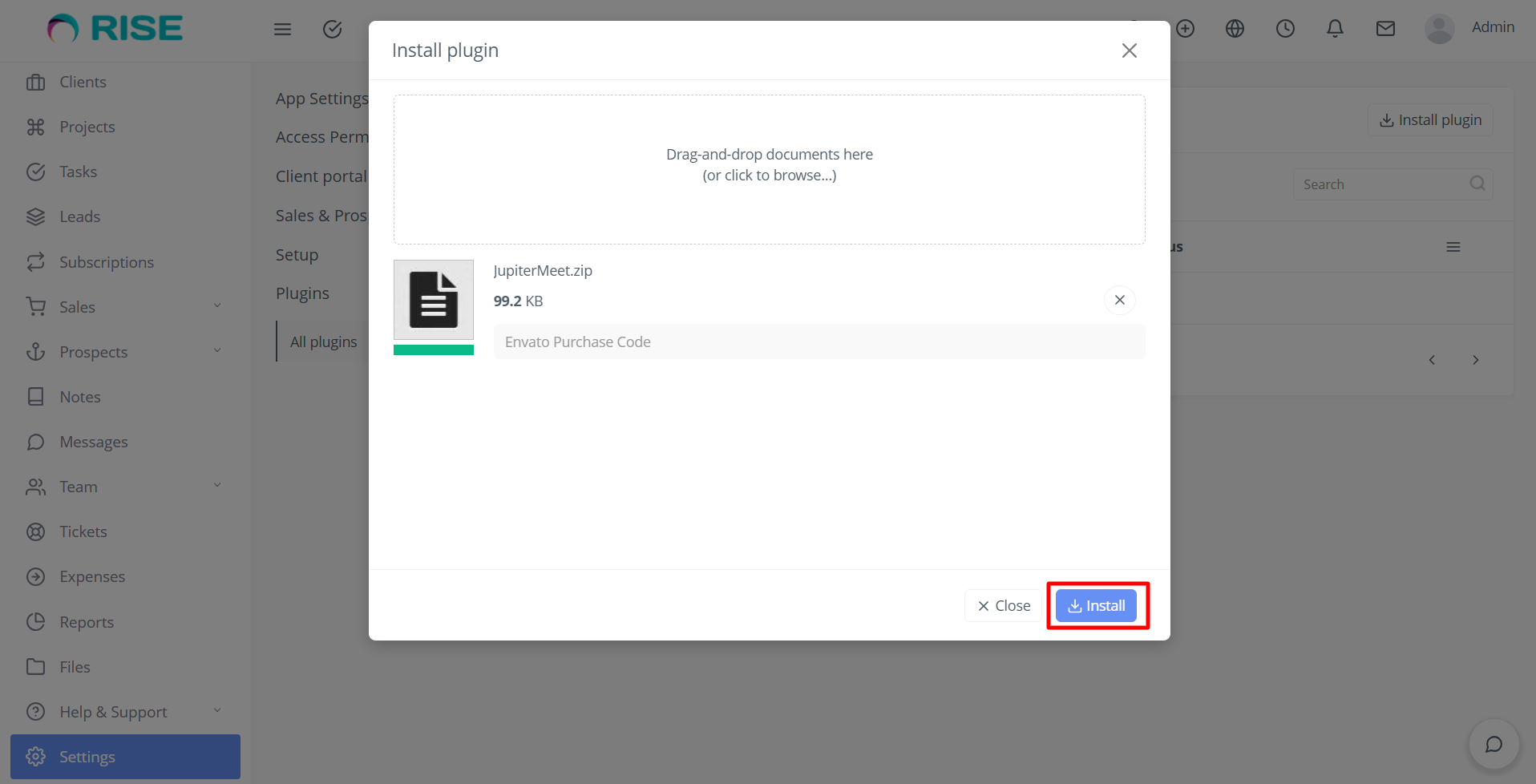
- Once the upload is complete, activate the plugin from the Plugins section.
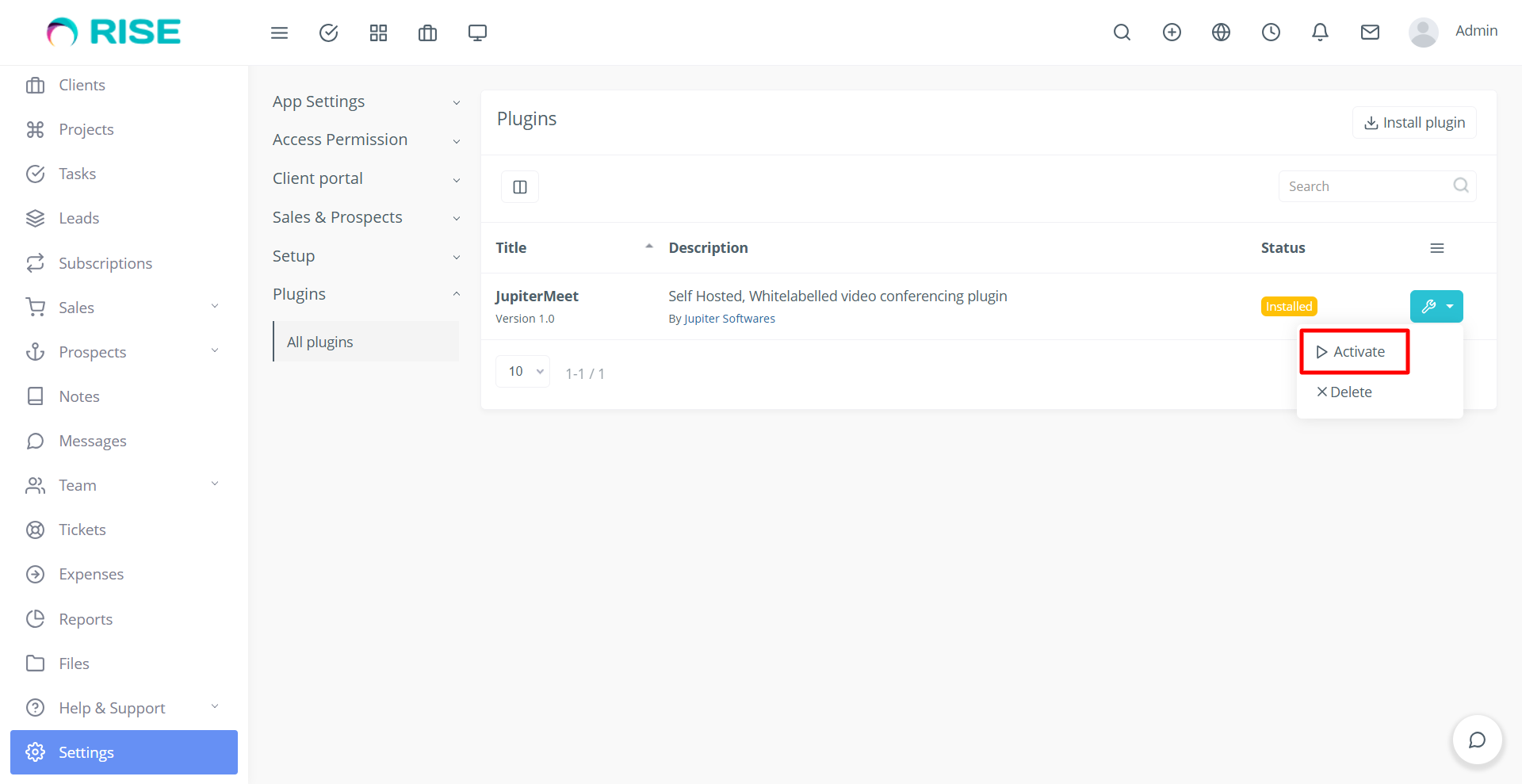
After activation, the JupiterMeet plugin will be successfully installed and ready to be configured in RISE CRM.