
Plugin configuration is performed from the WordPress admin panel and is required to connect your website with your JupiterMeet or JupiterMeet Pro.
Log in to your WordPress Admin Panel.
Navigate to: JupiterMeet → Settings. The settings page includes the following fields:
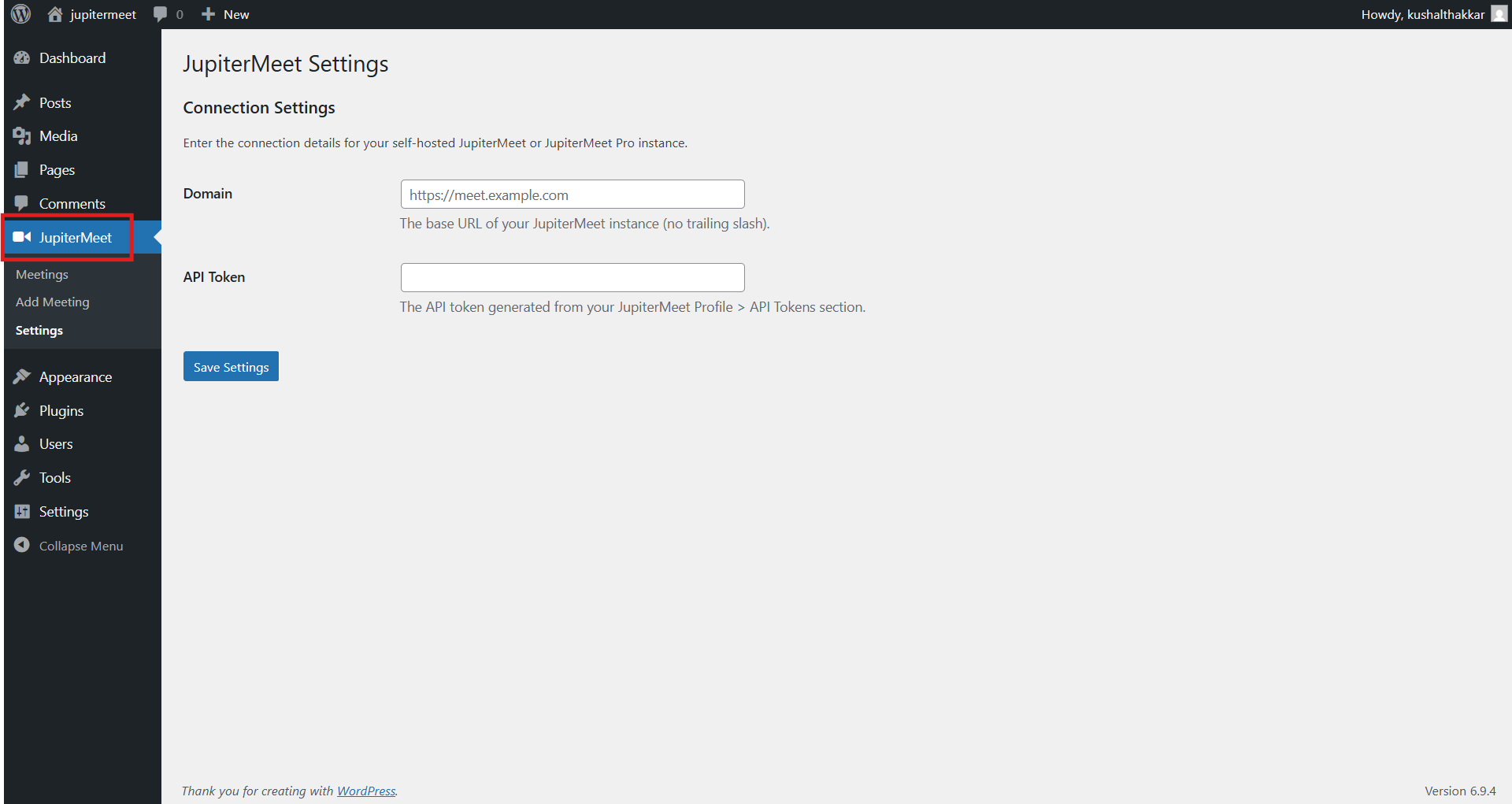
Domain
Enter the base URL of your JupiterMeet or JupiterMeet Pro server.
This is the server where your meetings are hosted.Example:
https://meet.yourdomain.comAPI Token
Enter the API token provided from JupiterMeet Dashboard > Profile > API Tokens.
This token is used to authenticate and allow secure communication between WordPress and your JupiterMeet instance.
- Click Save Settings to apply the configuration.
Once the settings are saved successfully, your WordPress site will be connected to your JupiterMeet server and ready to sync and manage meetings.