
The JupiterMeet for WordPress Plugin can be installed directly from your WordPress admin panel.
Log in to your WordPress Admin Panel.
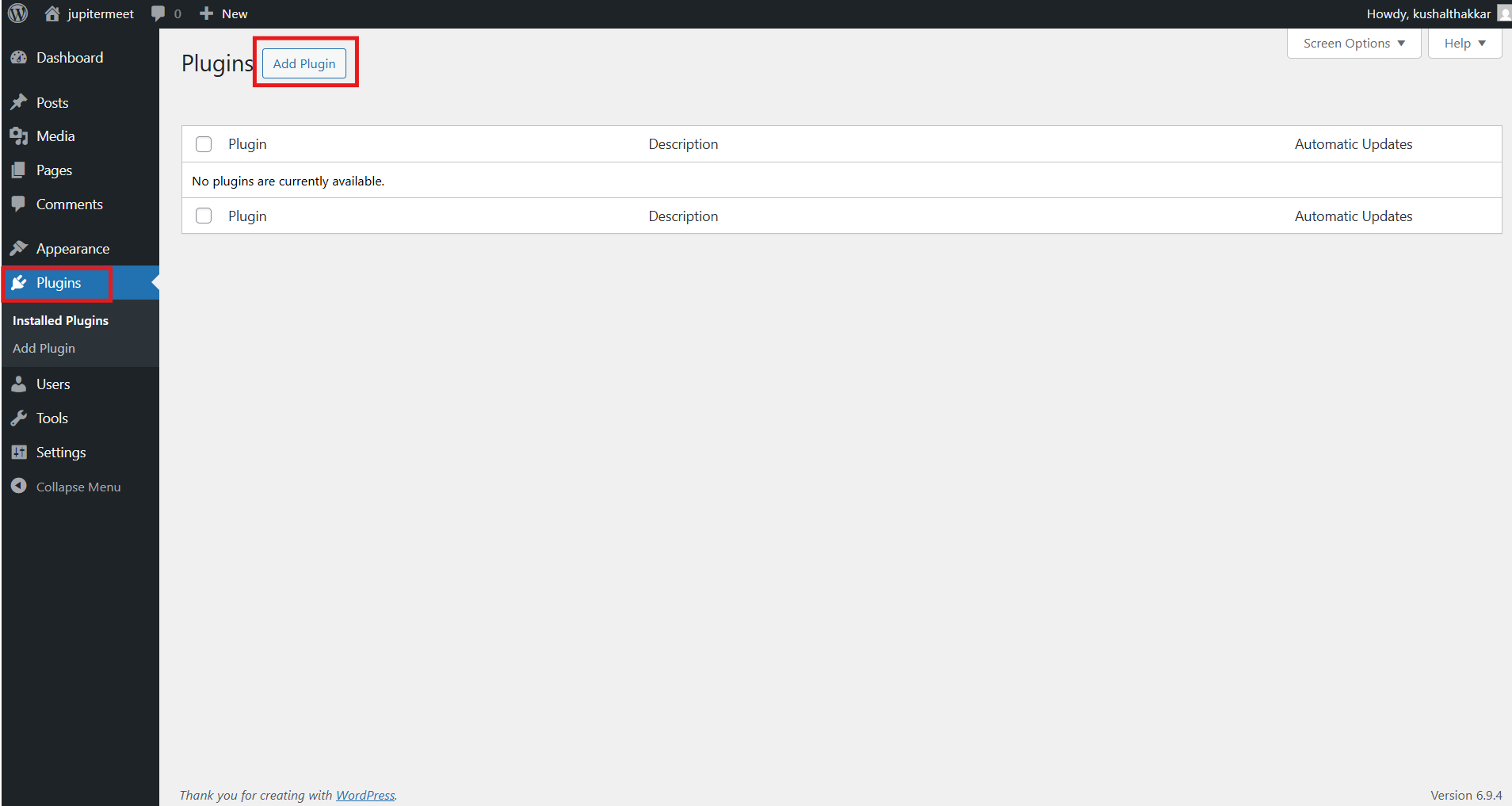
Navigate to: Plugins → Add Plugin and click on Upload Plugin.
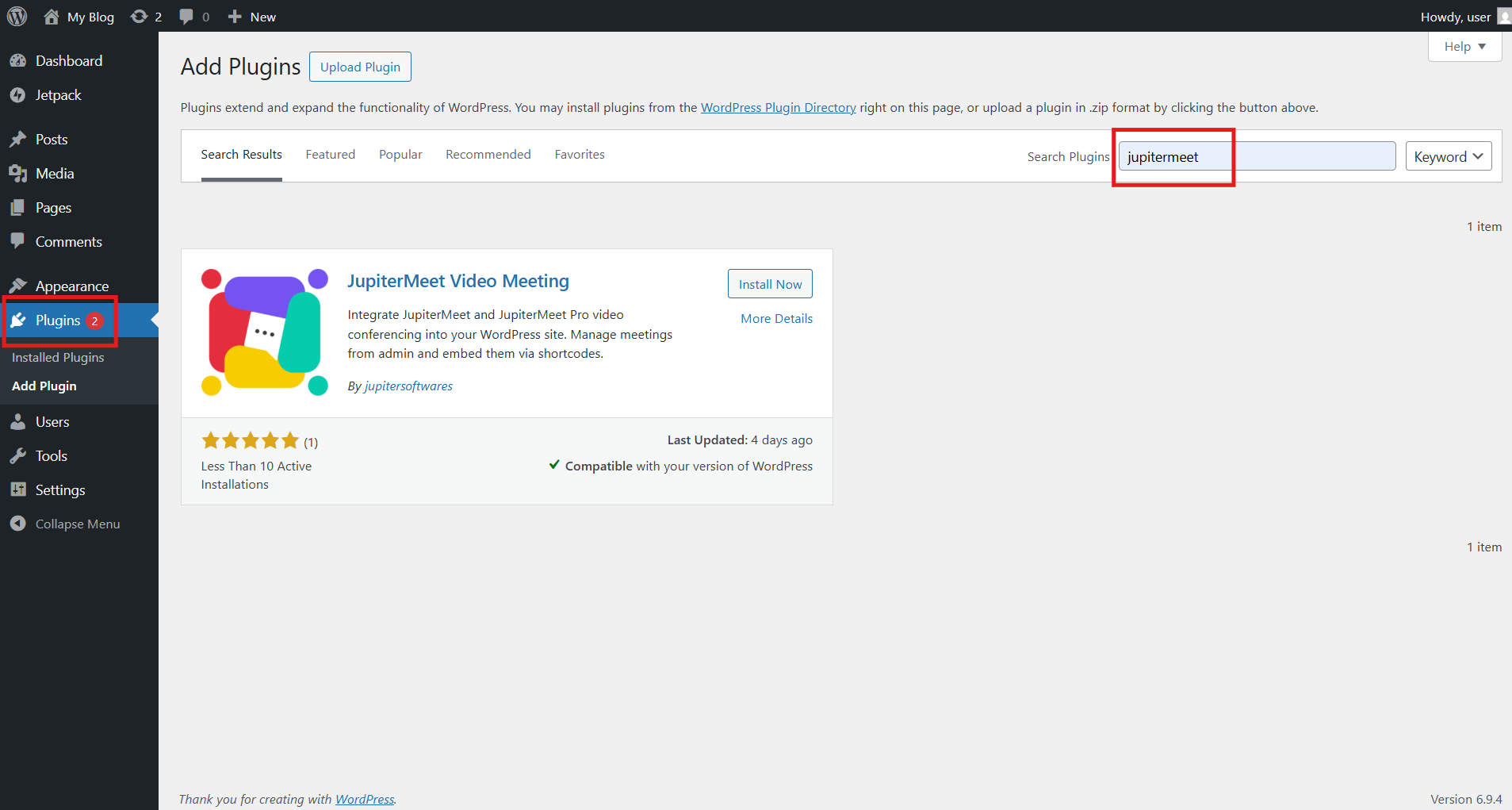
Search for JupiterMeet and Click Install Now to begin the installation.
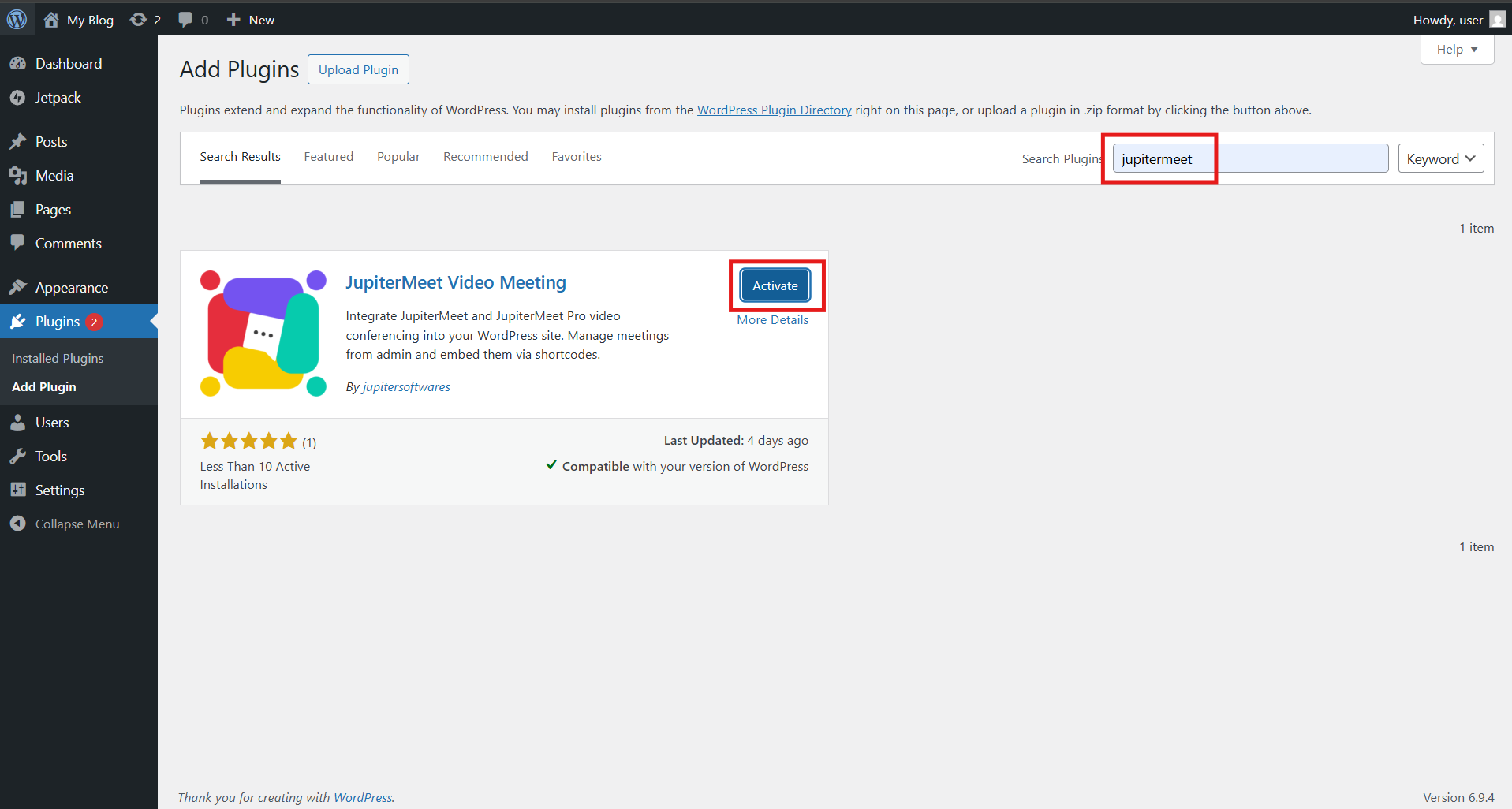
Once the installation is complete, click Activate.
After activation, a new menu will appear in the WordPress sidebar:
-> JupiterMeet
Meetings
Add Meeting
Settings
The plugin is now installed and ready for configuration.